---
title: "Print Several Parts Together"
description: "Fit a set of different parts, such as a box and its inserts, on one sheet."
url: "https://cad.packative.one/help/guide/kit-layout/"
language: "en"
---
# Print Several Parts Together
A **kit** is a set of different parts that belong together, such as a lid and a base, or
a box and two inserts. **Kit layout** shows how many complete kits fit on each of your
sheet sizes.
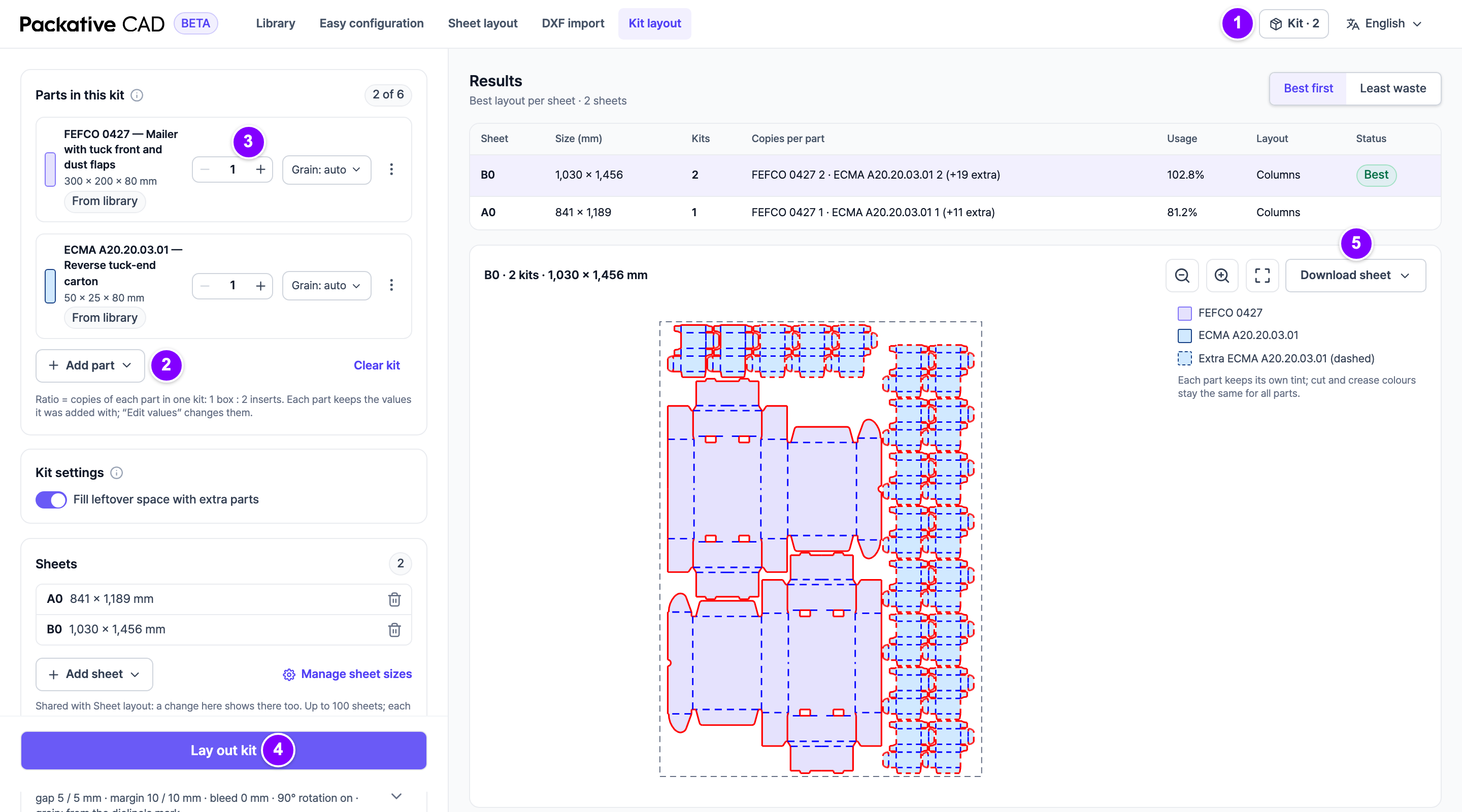
Kit layout with the parts list on the left and one sheet drawn with each part in its own colour. The numbers match the steps below.
## Steps
1. Open a dieline and select **Add to kit** in the bar above the dieline. You can also select
**Add to kit…** on a library card.
2. 1 Select **Kit · *n*** at the top right to open Kit layout.
3. 2 Select **Add part** to add more: **From the library…**, **From a DXF file…** or
**Current dieline**.
4. 3 In **Parts in this kit**, set the ratio of each part with **-** and **+**. For "1 box : 2 inserts", set
the box to 1 and the insert to 2.
5. Check the **Sheets** list, then 4 select **Lay out kit**.
6. Select a sheet in the results to see it. 5 Then select **Download sheet** to download it
as **DXF**, **PDF**, **SVG** or **PNG**.
## Reading the Results
| Column | Meaning |
|---|---|
| **Kits** | Complete kits per sheet. |
| **Copies per part** | How many of each part are on the sheet. |
| **Usage** | How much of the sheet the parts cover. |
| **Status** | A note when the sheet is simplified or not finished in time. |
## Good to Know
- A kit holds up to 6 parts, all on one board.
- The kit stays in your browser, even after a reload.
- Kit layout uses the same sheets and settings as
[Fit Boxes on a Sheet](https://cad.packative.one/help/guide/sheet-layout/). **Add sheet** offers the sheets of
[Manage Your Sheet Sizes](https://cad.packative.one/help/guide/sheet-sizes/).
- **Fill leftover space with extra parts** in **Kit settings** adds extra copies in free
space. They show as "+*n* extra" and do not count as kits.
- Each **Lay out kit** and each download uses credits. See
[Sign In and Credits](https://cad.packative.one/help/guide/account/).
## If Something Goes Wrong
- "No complete kit fits on these sheets": add a larger sheet, lower a ratio or remove a
part.
- **Simplified layout**: the search hit its limit, so more kits may fit. Use fewer parts
or lower ratios.
- **Not finished in time**: the search stopped after 30 seconds. Try fewer sheets.