---
title: "Choose the Board or Paper"
description: "Choose the board or paper your box is made of."
url: "https://cad.packative.one/help/guide/materials/"
language: "en"
---
# Choose the Board or Paper
The board is the material your box is made of. Your choice sets how thick the board is,
so the panels fit when the box folds. It also sets the colour of the box in 3D.
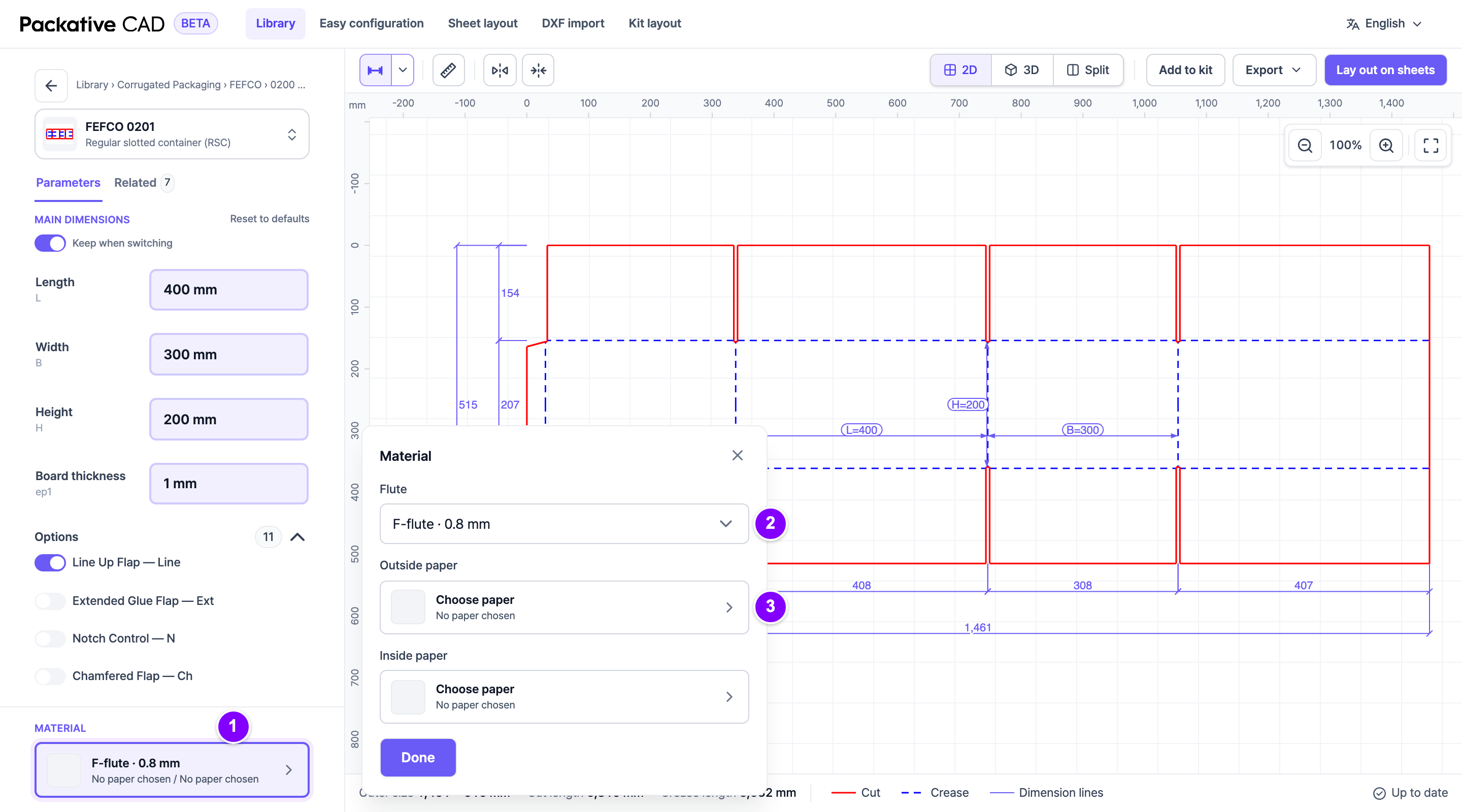
The board under Material at the bottom of the left panel, with its window open. The numbers match the steps below.
## Choose the Board
1. 1 Open a box style. Under **Material** at the bottom of the left panel, select
the board. A window opens.
2. 2 For corrugated board, select a **Flute**. The flute is the wavy layer between the
outside and the inside paper. Each flute gives the board its own thickness.
3. 3 Under **Paper**, **Outside paper** or **Inside paper**, select **Choose paper**.
The paper catalogue opens.
4. 4 Find a paper: type a name, maker or product code in the search box at the top,
or browse **Common papers**.
5. 5 Select the paper, then select **Use this paper** on the right.
6. Select **Done** to close the window.
7. Check **Board thickness**. It now follows your flute or paper.
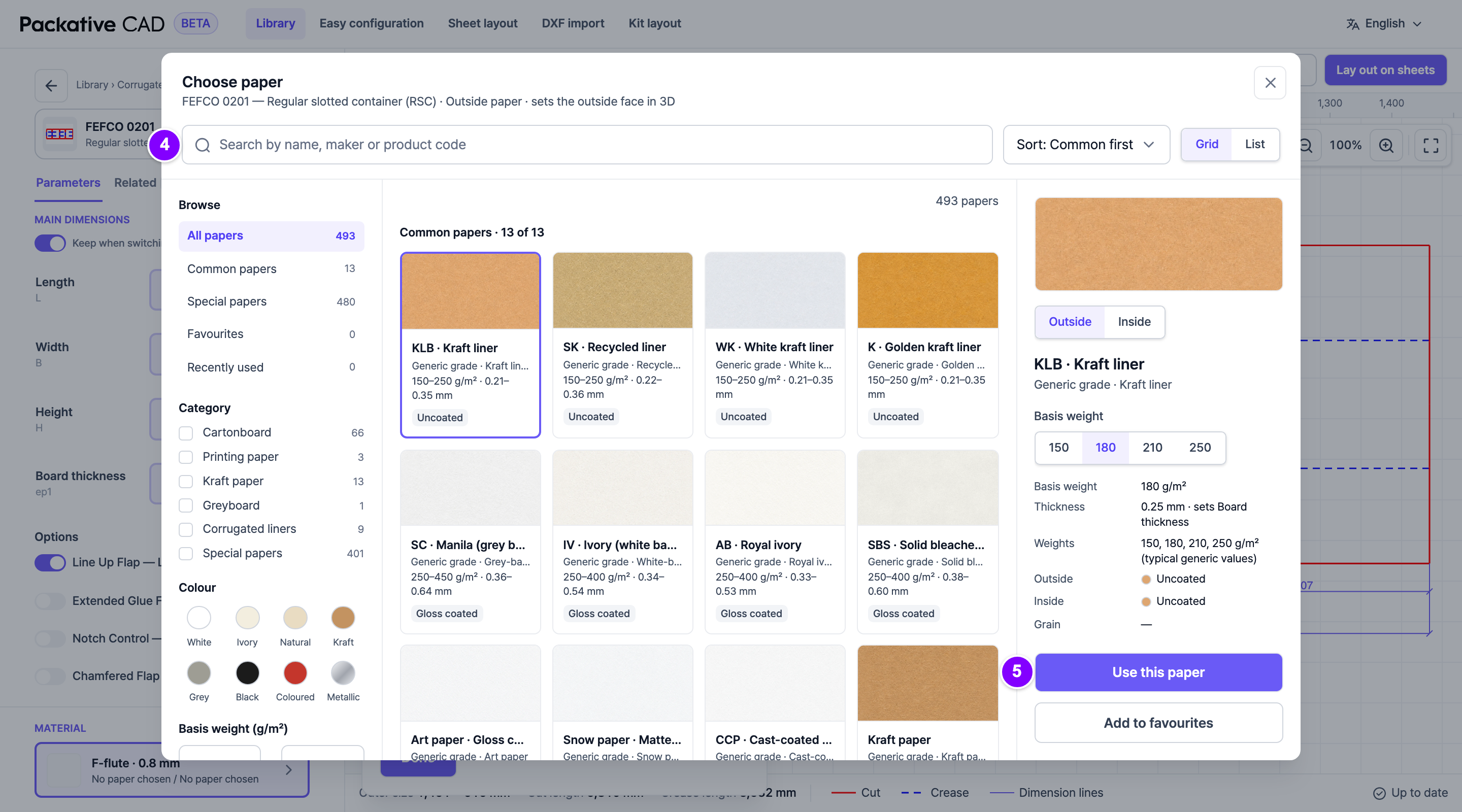
The paper catalogue, with a paper selected. The numbers match steps 4 and 5.
## Good to Know
- Use the filters, for example **Maker**, **Colour** or **Eco and use**, to narrow the
list. **Clear all** removes them.
- Select a paper to see its details: maker, weight, thickness, finish and where it is
sold.
- Papers marked "(typical)" show common trade values, not a maker's exact values.
- **Add to favourites** keeps a paper under **Favourites** in this browser.
- You can type your own **Board thickness**. **Reset to defaults** goes back to the
paper's or flute's value.
- Your board choice carries on to 3D, sheet layouts and kit layouts.
!!! note "Papers from other countries"
In Korean or Japanese, papers not sold in that country are marked, for example
"Not sold in Korea", and listed last. They are never hidden.
!!! note "Flutes by region"
The **Flute** list follows the **Region** you pick (the language alone does not change
it). With Japan picked it lists the Japanese flutes:
G flute (GF) 1 mm, E flute (EF) 1.5 mm, B flute (BF) 3 mm, A flute (AF) 5 mm and
Double wall (WF) 8 mm. Otherwise it lists F, E, B and C flute and
the EB and BC double walls. A flute you chose in another region stays in the list.
Your company can set the region for everyone in your workspace; you then don't see the
**Region** choice.
!!! note "The material can change by itself"
If you select a paper of another material, the box style switches to that material.
A message says "Material changed to … to match the paper."
To add a matte or glossy finish to the box, see [See Your Box in 3D](https://cad.packative.one/help/guide/3d/).