What Packative CAD Does
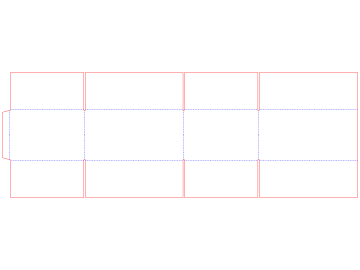
Packative CAD makes box dielines in your browser. A dieline is the flat drawing of your box, with lines for cutting and folding. You select a box style, type its size and select the board. The app draws the dieline at true size, ready for your die maker or printer.
Who It Is For
- Designers get a dieline at the customer's size, ready for artwork.
- Sales people show the customer the box in 3D before anything is made.
- Printers and box makers see how many boxes fit on each sheet before they quote.
You do not need any CAD or packaging engineering knowledge.
What You Can Do
| You want to | Read |
|---|---|
| Find a box style by name, code or shape | Find a Box Style |
| Set the length, width and height | Set Your Box Size |
| Choose the board or paper | Choose the Board or Paper |
| See the box folded in 3D | See Your Box in 3D |
| Download a PDF, DXF or Illustrator file | Download Files for Print |
| Set up a box by selecting pictures | Quick Box Setup |
| Count how many boxes fit on a sheet | Fit Boxes on a Sheet |
| Keep your own list of press sheets | Manage Your Sheet Sizes |
New here? Make Your First Box walks you through it in about ten minutes.
Share a Box With a Link
The app does not save your boxes. Instead, the box style and its sizes live in the page address. To share or keep a box, copy the address from your browser and send it or bookmark it. Anyone who opens it sees the same box.
Open the App
- Open
https://cad.packative.one. - Select Continue with Google. Your account is made the first time you sign in.
The app is free while it is in beta. You get a monthly allowance of credits. Browsing the library is free. Drawing, 3D, layouts and downloads use credits. See Sign In and Credits.