See Your Box in 3D
The 3D view folds your dieline into a box. You can turn it, try your print design on it and download a picture or a 3D model to share.
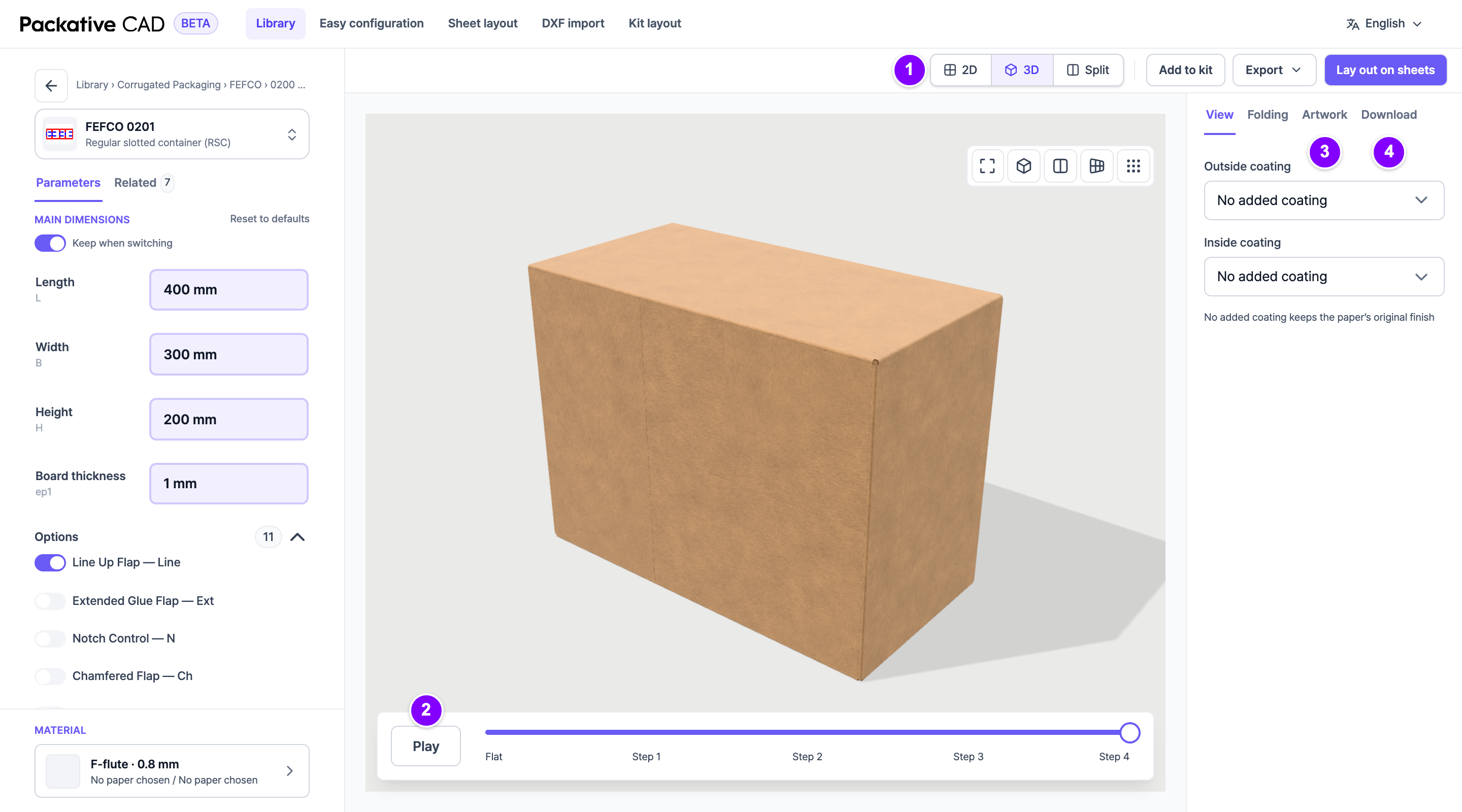
See the Folded Box
- Open a box style and set your size.
- 1 In the bar above the dieline, select 3D. Split shows the flat dieline and the box side by side.
- 2 Drag the box to turn it. Select Play to watch it fold, or drag the slider below the box from Flat to the last step.
- 3 To try your print design, open the Artwork tab in the right panel. Select Outside artwork, then select your file (PNG, JPEG, WebP, SVG or PDF).
- 4 To share the box, open the Download tab and select Download PNG.
Check the folding
The app works out the folding by itself, and nobody checks every box style by hand. Check the folded box before you rely on it.
Good to Know
- The box takes its colours from the papers you selected under Material.
- In the View tab you can add a Matte or Glossy coating to each side.
- If your artwork reads the wrong way, select Mirror artwork.
- Your artwork stays in your browser. It is never uploaded.
- Artwork made on the PDF you downloaded lines up with the box by itself.
- The Download tab offers Download PNG (a picture of the current view), 3D model (GLB) for 3D apps, AR model (USDZ) for iPhone or iPad, and Web viewer (HTML), a web page that shows the box in any browser.
- Download PNG uses 1 credit for each picture. 3D model (GLB), AR model (USDZ) and Web viewer (HTML) use 10 credits each time, like any other download. For what uses credits, see Sign In and Credits.
- Flat pieces, such as labels, do not fold, so they have no 3D view.
If Something Goes Wrong
- A flap folds the wrong way. In the Folding tab, select the crease (the fold line) and change its Angle (°). Reset to defaults undoes your changes. Please also tell the Packative team.
- "This dieline has no fold lines we can follow." The dieline has no fold lines, so it cannot fold. For your own file, see Use Your Own Dieline File.
- The 3D view does not show. Use a current Chrome, Edge or Safari.